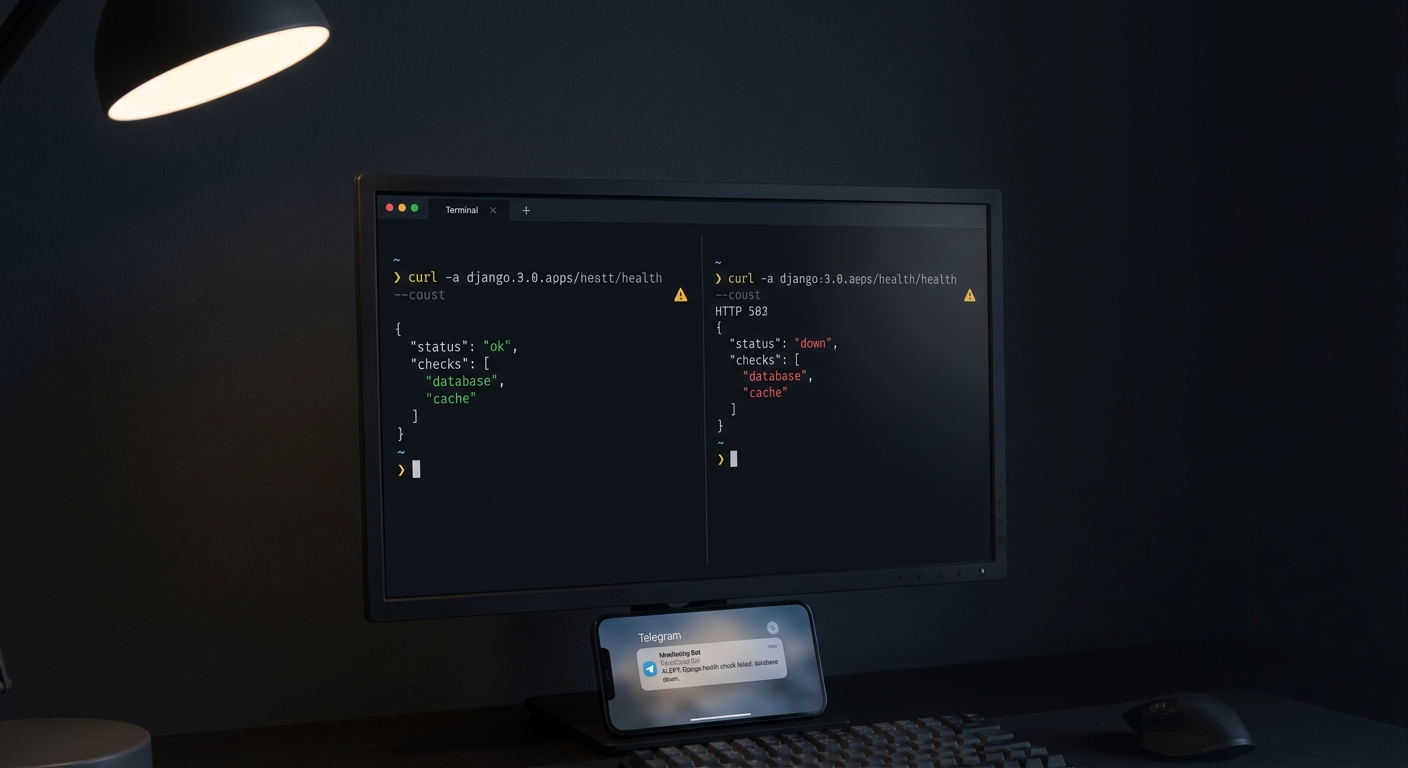
Django has no built-in health check endpoint, so you add one of two ways. The quick route is the django-health-check library: install it, register its apps, mount its URLs at /ht/, and you get an endpoint that returns HTTP 200 when the database, cache, and storage all respond and HTTP 500 when any of them fail. If you want a clean split between a liveness probe and a readiness probe, or you just don't want another dependency, a hand-written view is a few lines. The catch that neither the library docs nor most tutorials mention: the endpoint is inert until something external polls it and alerts you, and it can never see your background jobs.
Does Django have a built-in health check?
No. There is no django.contrib health app and no default /health route. Django's manage.py check command validates your project configuration at startup, but that is a static system check, not a runtime endpoint a load balancer or uptime monitor can hit. For a live endpoint you add one yourself.
Two options, and they answer different needs:
- The
django-health-checklibrary when you want database, cache, storage, and Celery checks wired up in minutes and you're fine with its conventions. - A custom view when you want a strict liveness/readiness separation, a tight JSON shape an external monitor can parse, and no extra package in your dependency tree.
The fast way: the django-health-check library
Install it and register the checks you care about:
pip install django-health-check
# settings.py
INSTALLED_APPS = [
    # ...
    "health_check",
    "health_check.db",
    "health_check.cache",
    "health_check.storage",
    "health_check.contrib.celery",  # optional, if you run Celery
]
# urls.py
from django.urls import include, path

urlpatterns = [
    # ...
    path("ht/", include("health_check.urls")),
]
Now GET /ht/ runs every registered check. It returns HTTP 200 when all checks pass and HTTP 500 when any one fails. By default it renders an HTML page, which is handy in a browser and useless to a monitor. Ask for JSON with either a header or a query parameter:
curl -H "Accept: application/json" https://your-app.example.com/ht/
# or
curl https://your-app.example.com/ht/?format=json
To check something the library doesn't cover, such as a payment provider or an internal API, subclass its backend:
# health.py
from health_check.backends import BaseHealthCheckBackend

class PaymentsHealthCheck(BaseHealthCheckBackend):
    critical_service = True  # a failure here makes /ht/ return 500

    def check_status(self):
        try:
            ping_payments_api()  # your call
        except Exception as exc:
            self.add_error(f"payments unreachable: {exc}")

    def identifier(self):
        return self.__class__.__name__
Register it in your app's AppConfig.ready():
# apps.py
from django.apps import AppConfig
from health_check.plugins import plugin_dir

class CoreConfig(AppConfig):
    name = "core"

    def ready(self):
        from .health import PaymentsHealthCheck
        plugin_dir.register(PaymentsHealthCheck)
One thing to set before you ship: /ht/ can expose which internal services you run and whether they're up. Put it behind auth, or at least don't advertise the URL, if that leakage matters to you.
When to write your own health check view instead
The library bundles everything into a single /ht/ endpoint that flips to 500 if anything is wrong. That is the wrong shape for an orchestrator like Fly.io or Kubernetes, which wants to ask two separate questions: is the process alive, and is it ready to take traffic. Roll your own when you want that split and a JSON contract you control.
# health.py
from django.db import connection
from django.http import JsonResponse

def liveness(request):
    # Am I alive enough to answer? Touch nothing external.
    return JsonResponse({"status": "ok"})

def readiness(request):
    checks = []
    healthy = True

    try:
        with connection.cursor() as cursor:
            cursor.execute("SELECT 1")
            cursor.fetchone()
        checks.append({"name": "database", "status": "ok"})
    except Exception:
        healthy = False
        checks.append({"name": "database", "status": "down"})

    body = {"status": "ok" if healthy else "down", "checks": checks}
    return JsonResponse(body, status=200 if healthy else 503)
# urls.py
from django.urls import path
from . import health

urlpatterns = [
    path("healthz", health.liveness),
    path("readyz", health.readiness),
]
GET /readyz now returns a flat, machine-parseable object any monitor can read:
{
  "status": "down",
  "checks": [
    { "name": "database", "status": "down" }
  ]
}
The {status, checks: [{name, status}]} shape is deliberate: a monitor can alert on the top-level status and still show you the exact failing check in the notification, so you know it was the database and not the cache before you even open a terminal.
What's the difference between liveness and readiness?
Liveness is shallow, readiness is deep, and confusing them causes outages.
- Liveness answers "is this process wedged?" It touches nothing but itself. If it fails, the right response is to restart the process. Never query the database here. If you do, a slow or briefly unavailable database makes liveness fail, the orchestrator kills a perfectly good process, every instance restarts into the same slow database, and you have turned a five-second blip into a restart storm.
- Readiness answers "can I do real work right now?" It checks the dependencies a request actually needs: the database, the cache, maybe a queue. If it fails, the right response is to stop sending this instance traffic until it recovers, not to kill it.
Put the database in readyz, keep healthz empty of dependencies, and point your orchestrator's restart probe at liveness and its traffic probe at readiness.
How do I stop the readiness check from hanging?
Bound it. An unbounded SELECT 1 against a database that is up but frozen will hang your readiness handler for as long as the connection waits, which is exactly when you most want a fast, honest "down". Set a connection timeout in your database OPTIONS, and for Postgres a statement timeout for the check query:
# settings.py
DATABASES = {
    "default": {
        "ENGINE": "django.db.backends.postgresql",
        # ...
        "OPTIONS": {
            "connect_timeout": 2,
            # cap how long any single statement can run (milliseconds)
            "options": "-c statement_timeout=2000",
        },
    }
}
A readiness check that can hang forever is worse than no check, because it makes a struggling instance look merely slow instead of down. Fail fast and let the monitor act.
The part every Django health check guide skips
Here is what the library README and the tutorials leave out: an endpoint is a passive thing. /readyz sits there returning 503 to nobody. Nothing about adding the route makes your phone buzz when the database dies at 3am. Something outside your app has to poll that URL on a schedule and page you when it returns a bad status or stops answering.
So point an external uptime monitor at /readyz and have it alert on two conditions:
- the endpoint returns a non-2xx status (your app said it isn't ready), and
- the endpoint doesn't answer at all within a few seconds (the process is gone, the host is down, or DNS broke, and no in-app check can report on its own death).
That second case is the one people forget. Your health view cannot tell you the app crashed, because a crashed app cannot run a view. Only an outside observer catches "no response". This is the whole reason CanaryHub exists: it polls your endpoint, parses that {status, checks} JSON, and pings you on Telegram the moment status goes to down or the request times out, so your app tells you before your users do.
What about my Celery and cron jobs?
A health endpoint reports on the web process serving that one request. It is completely blind to your background work. Celery beat could stop scheduling, a nightly management command could silently no-op, a worker could die, and /readyz would keep cheerfully returning 200 the whole time, because the web process is fine. The failure is elsewhere and nobody is watching for it.
Background jobs need the opposite of an endpoint. Instead of something polling you, the job pings out when it succeeds, and you get alerted when the ping goes missing. That is a dead man's switch:
# tasks.py
import requests
from celery import shared_task

@shared_task
def nightly_cleanup():
    do_the_real_work()
    # ping only after success, so a crash means silence
    requests.get("https://ingest.canaryhub.ai/ping/YOUR_TOKEN", timeout=10)
If nightly_cleanup runs and finishes, the ping lands and the monitor stays quiet. If the task throws, never gets scheduled, or the worker is dead, the ping never arrives, and after the expected interval plus a grace period you get an alert that it went dark. We wrote up the full pattern, including grace periods and what to set the interval to, in how to monitor a cron job with a dead man's switch.
Putting it together
For a small Django app, the honest minimum is three things: a healthz view that touches nothing so your orchestrator can restart a wedged process, a readyz view that runs a bounded SELECT 1 and returns the {status, checks} JSON so an external monitor can pull it out of rotation and page you, and a heartbeat ping on the tail of every scheduled job so silence becomes an alert instead of a surprise. The django-health-check library is a fine shortcut for the endpoint half, but the endpoint was never the point. Being told when it fails is.